AI Old Photo Restoration · Revive Crisp Memories
Upload yellowed, damaged or faded old photos and the AI auto-removes scratches and stains, restores natural skin tones and crisp detail, and keeps the original features and composition, giving precious memories new life.
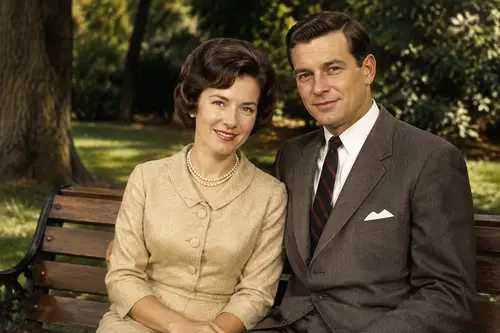
Why choose Old Photo Restoration
Smartly detect and repair scratches, creases, mold spots and damaged areas to restore a complete image.
Correct browning and fading, restoring skin tones and colors close to reality without over-distortion.
Improve the clarity and detail of blurry old photos while keeping the original person's features unchanged.
How to use Old Photo Restoration
Four steps
Choose the image to process. JPG, PNG and WebP supported.
The matching instruction is pre-filled in the workspace; fine-tune if needed.
Click generate and the AI processes it.
Once you're happy with the preview, download the HD result, ready for commercial use.
FAQ
Can badly damaged photos be restored?
The AI can repair common scratches, creases, stains and fading; extremely damaged areas are filled in as reasonably as possible, with results depending on the original.
Will it change the person's face?
Not deliberately. Restoration focuses on clarity and color, preserving the original facial features and composition as much as possible.
Can black-and-white photos be colorized?
It can restore natural skin tones and color tendencies, giving black-and-white or faded photos a more natural palette.
Can I download an HD version after?
Yes. After restoration you can download an HD result; pairing it with the 4K enhance tool works even better.
More AI Image Tools
Try Old Photo Restoration now
Sign up for free credits. Upload an image, process it, done.