AI Vintage Film · Aged Film Texture
Upload a photo and the AI adds soft faded tones, subtle film grain, a warm color shift and natural light-leak atmosphere while keeping the subject and composition, turning a digital photo into artsy film style.
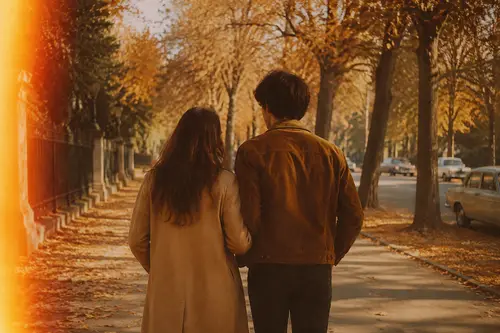
Why choose Vintage Film
Classic film's low-saturation warm tones and faded feel create a nostalgic atmosphere.
Subtle film grain and natural light leaks restore a real film texture.
Only tone and atmosphere change. The subject and composition stay intact.
How to use Vintage Film
Four steps
Choose the image to process. JPG, PNG and WebP supported.
The matching instruction is pre-filled in the workspace; fine-tune if needed.
Click generate and the AI processes it.
Once you're happy with the preview, download the HD result, ready for commercial use.
FAQ
What photos suit the vintage film look?
Portraits, street, lifestyle and travel photos all suit it well, quickly creating an artsy, nostalgic mood.
Will it change the photo content?
No. It only adjusts tone, grain and light-leak atmosphere; the subject and composition stay unchanged.
Can I adjust the aging strength?
You can tune the prompt in the workspace to control the strength of fading, grain and light leaks.
Which film styles are supported?
You can try warm, cool and other film moods, adjusted flexibly through the prompt.
More AI Image Tools
Try Vintage Film now
Sign up for free credits. Upload an image, process it, done.